Trusted by teams at






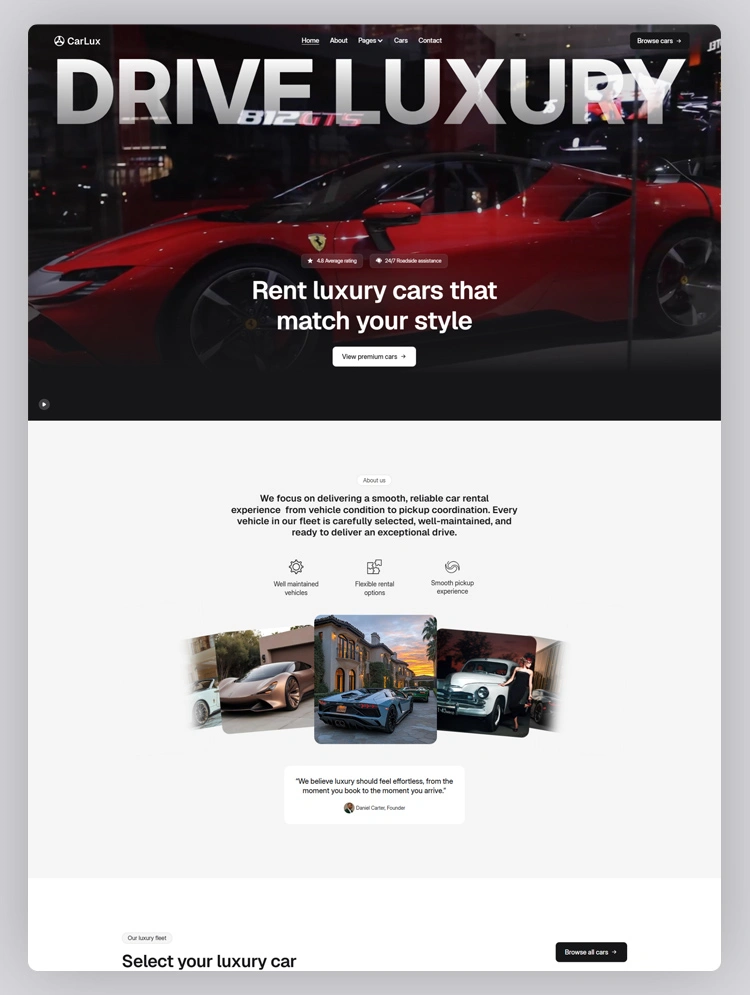
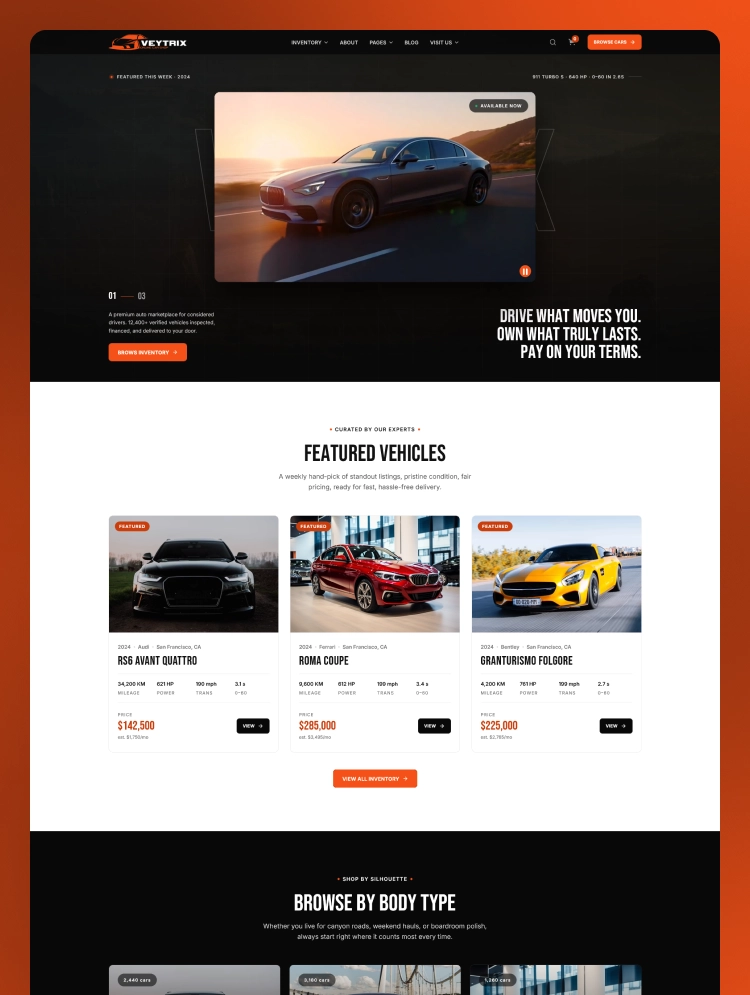
Veytrix is a bold car dealer website template for modern automotive businesses. It pairs striking vehicle imagery with clean, structured layouts and a flexible Webflow foundation for dealerships, showrooms, marketplaces, and automotive professionals.
Veytrix uses dramatic imagery, strong typography, and generous spacing to highlight vehicles effectively. The navigation keeps inventory, financing, dealership information, and supporting content easy to discover. This automotive website template creates a polished browsing experience without overwhelming prospective buyers.
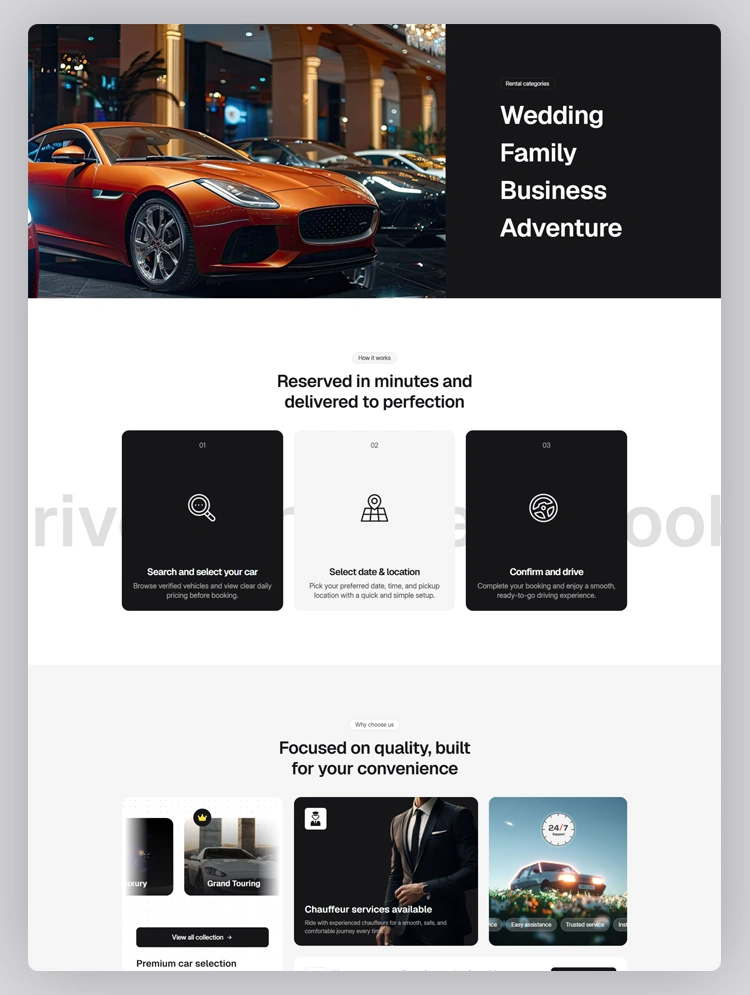
Vehicle cards present images, pricing, specifications, and categories through clearly separated visual sections. Inventory layouts help visitors browse models while maintaining a consistent presentation across the website. As a vehicle listing website template, Veytrix keeps important information accessible during exploration.
Ecommerce pages extend the experience with product-focused layouts, checkout screens, and confirmation pages. The overall structure also supports editorial content through dedicated blog and collection page templates. This automotive Webflow template balances vehicle presentation, content management, and purchasing-related website experiences.
Best for: Veytrix suits car dealerships, auto showrooms, used-car sellers, and luxury automotive brands. Vehicle marketplaces and rental companies can also adapt its structured layouts for their offerings. Automotive professionals gain a flexible starting point for presenting inventory and strengthening brand credibility.
Veytrix includes 23 pages across static, CMS Collection, ecommerce, and utility page groups. That total includes 12 static pages, 4 CMS Collection pages, 5 eCommerce pages. 2 additional utility pages complete the template structure for essential website support needs.
Core pages include Home, About, Inventory, Compare, Book Test Drive, Financing, Dealer, Blog, and Contact. CMS templates organize authors, blog posts, blog categories, and supported automotive brand information. Ecommerce pages provide product, category, checkout, payment, and order confirmation experiences for visitors.
Veytrix gives automotive businesses a professional framework for presenting vehicles with visual confidence. Organized navigation helps visitors move between inventory, financing, dealership details, content, and contact information. Its car dealer website design keeps important pathways clear while maintaining a distinctive automotive identity.
Responsive layouts help the vehicle showcase website remain comfortable across different screen sizes. Webflow customization lets teams adjust typography, colors, imagery, content, and visual presentation without rebuilding. For car sellers, this Webflow template combines practical structure with a polished modern appearance.
This Webflow template is designed with bold vehicle imagery, clean spacing, strong typography, and modern layouts.
This automotive template is built to adapt smoothly across desktop, tablet, and mobile screen sizes.
This car dealer template is easy to customize through Webflow for colors, typography, layouts, content, and imagery.
This template is structured with Webflow CMS for managing authors, blog content, categories, and brands.
This template is equipped with ecommerce pages for products, categories, checkout, payments, and order confirmation.
This template is organized with focused layouts that support navigation and efficient content presentation online.
This car showroom website template is structured for clear headings, descriptive content, optimized images, and relevant metadata fields.
Static Pages
CMS Collection Pages
Ecommerce Pages
Utility Pages
Can only be used by you or one client for one end product. You cannot resell or redistribute this template in its original or modified state.
This template is free to use in both person and commercial projects. You cannot resell, redistribute, or license this template in its original or modified state.
Questions about this template? Just reach out to the template designer and they will get back to you within 2 business days.
For advanced design guidance, please share your questions in the Webflow Forum or reach out to a Webflow Partner.
Share your feedback by leaving a comment below.
For template support, please check the Support tab.

Use the Preview in Designer option to make any edits to the template pages and preview how the layout would fit your content. Changes in preview mode won't be saved.
It isn't possible to apply a template to an already existing project. Instead, you'll need to create a new project based on the Template.
With a Core plan (or higher), you can export sites you build in Webflow, including templates, to host them anywhere you'd like.
Webflow templates are only available for purchase through Workspaces and legacy individual accounts.
CMS templates are designed to use the power of the Webflow CMS. It is possible to downgrade to a Basic Site Plan as long as all CMS content is deleted from the project.
Use the View Connections tool to understand where the CMS content is on the site and delete any dynamic listings and CMS content. We also recommend you to check Components and the Collection page Templates.
Ecommerce templates are designed to use the power of Webflow Ecommerce. It is not possible to remove Ecommerce from a template, however, deleting all Ecommerce Products and Categories from the project, will allow to select a lower Site Plan.
Membership templates are designed to use the power of Webflow Membership. It is not possible to remove Memberships from a template.
.svg)


Reposition and resize items anywhere within the grid to produce powerful, responsive layouts — faster and without code.
Build your lead lists and subscriber base with beautiful forms.
Comes with animations and interactions for additional polish and usability.