

No items found.

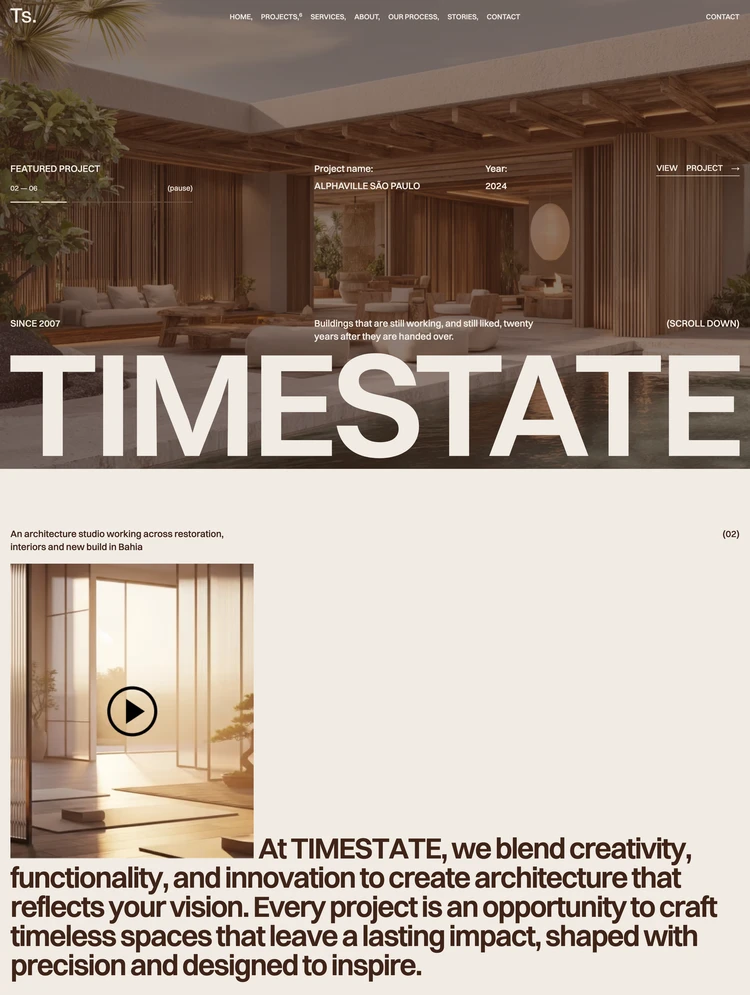
Timestate is a premium Webflow template for architecture and interior design studios, featuring immersive portfolios, CMS-powered projects and stories, Swiss-inspired editorial design, responsive layouts, and refined GSAP interactions.

Timestate — Architecture & Interior Design Webflow Template

Timestate is a premium Webflow template for architecture studios, interior designers, and independent creative practices that believe exceptional work deserves an equally considered presentation.

Inspired by Swiss editorial design, Timestate combines expressive typography, architectural imagery, a refined twelve-column grid, and purposeful motion to create a digital experience that feels as intentional as the spaces it showcases.

A complete digital presence for design-led studios

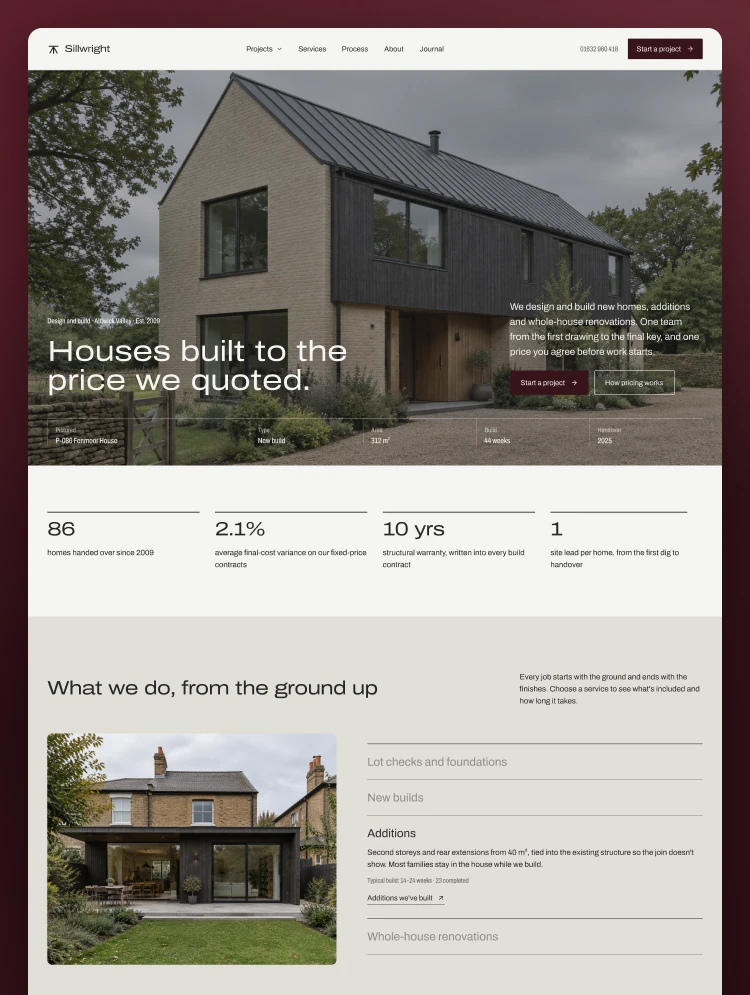
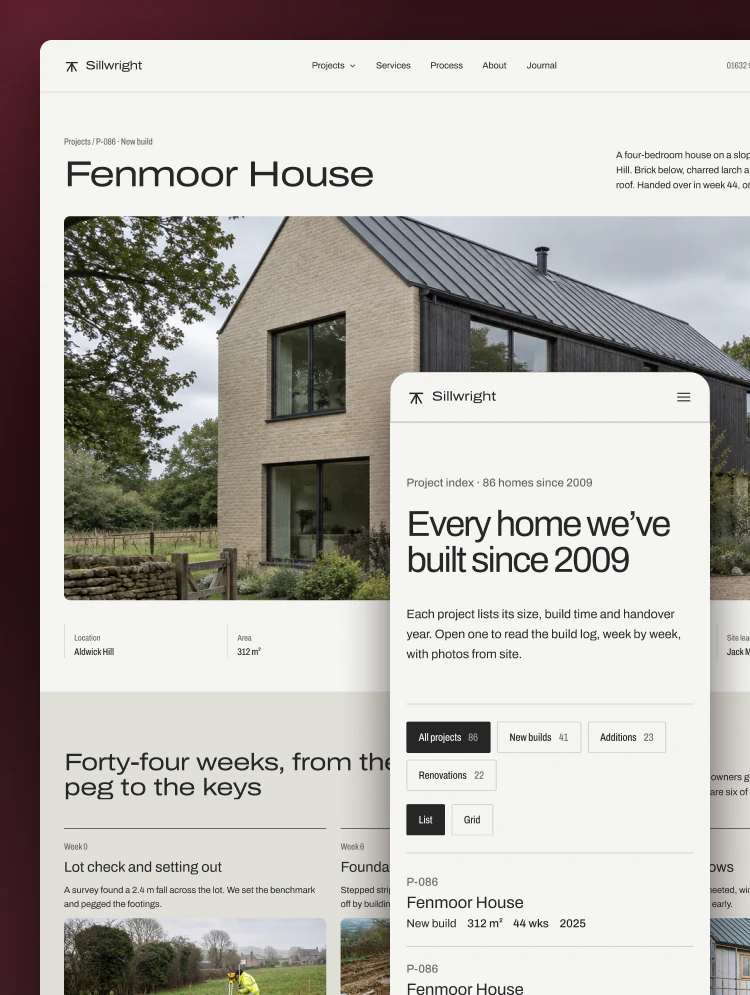
  • Portfolio: Present architectural projects through an immersive homepage, a flexible grid-and-list portfolio, and individual case studies with expansive imagery, detailed project information, and connected navigation.
  • Studio: Introduce your philosophy, people, expertise, and creative approach through an editorial About page designed to communicate identity and credibility.
  • Services: Explain your disciplines and capabilities through carefully structured content, sophisticated layouts, and clear pathways to relevant work.
  • Process: Walk prospective clients through your methodology, from initial concepts to final delivery, with a dedicated page that brings clarity to complex creative work.
  • Stories: Share perspectives, project insights, and studio narratives through a dedicated editorial experience.

Three CMS collections, one connected experience

  • Projects: Manage project imagery, descriptions, categories, collaborators, photography credits, galleries, and related projects. Every case study follows a consistent, carefully designed layout.
  • Stories: Publish articles with categories, authors, reading times, rich-text content, and related stories, all within a cohesive editorial system.
  • Team Members: Keep your studio's people organized with editable names, roles, portraits, and display order.

Pages included

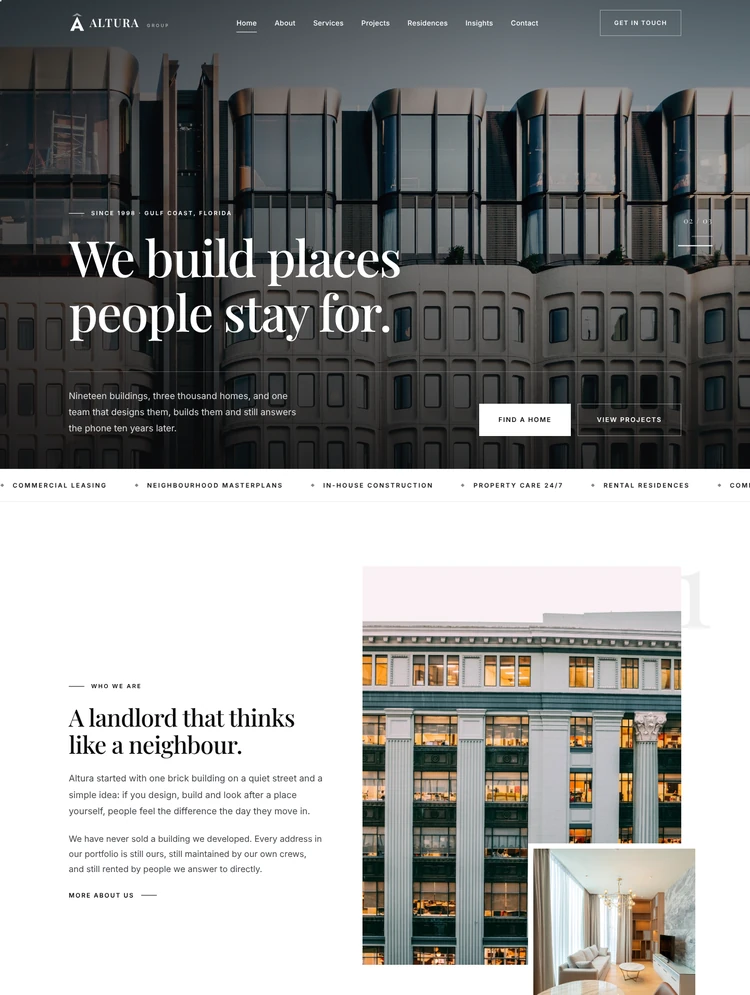
  • Home — immersive architectural showcase
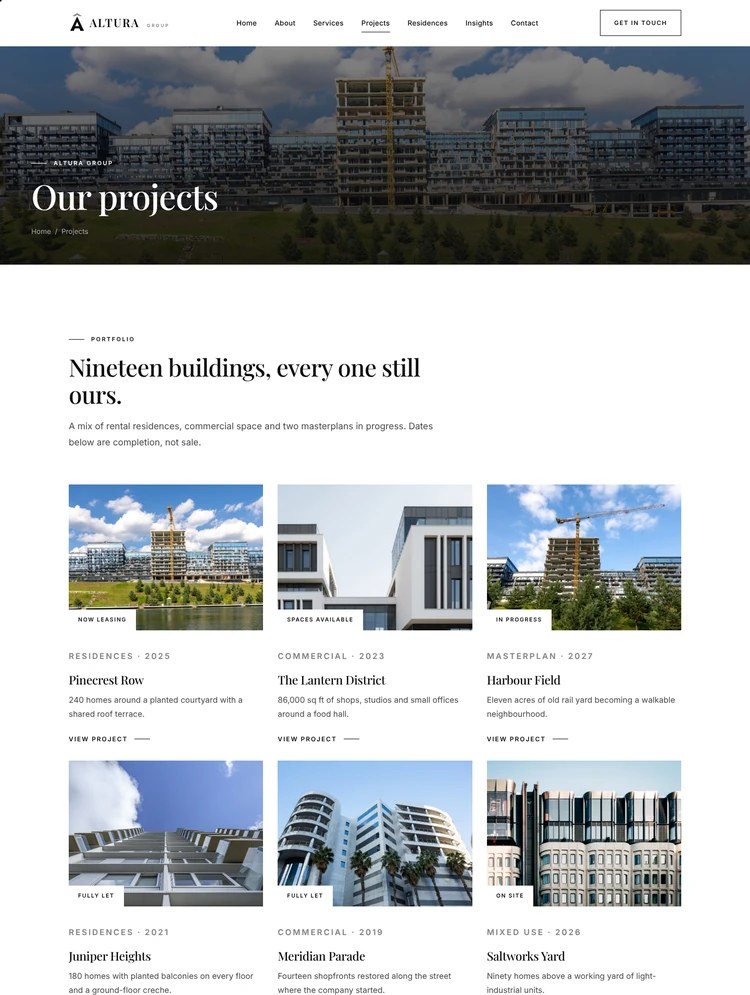
  • Projects — portfolio with grid and list views
  • Project Detail — CMS-powered case studies
  • Services — architectural disciplines and expertise
  • About — studio philosophy, people, and careers section
  • Our Process — approach and project methodology
  • Stories — editorial insights and narratives
  • Story Detail — CMS-powered articles
  • FAQ — common questions and answers
  • Contact — enquiries and studio contact information
  • Style Guide — typography, colors, components, and design foundations
  • Licenses, Changelog, and Instructions
  • Custom 404 page

Designed with precision. Built for flexibility.

  • Swiss-inspired design system: A consistent twelve-column grid, oversized editorial typography, subtle dividers, generous whitespace, and carefully balanced compositions.
  • Refined color modes: A warm, understated palette with light and dark treatments powered by Webflow Variables.
  • Purposeful motion: Considered image reveals, typography transitions, hover interactions, and an immersive homepage slider that bring movement to the work without overwhelming it.
  • Reusable components: Consistent navigation, footers, calls to action, and interface patterns that simplify updates across the website.
  • CMS-powered content: Update projects, stories, and team information through Webflow's visual content management interface.
  • Responsive layouts: Carefully considered experiences across desktop, tablet, and mobile screens.
  • Built-in guidance: Dedicated Style Guide and Instructions pages explain the template's structure, customization options, and interactive features.

Architecture deserves more than a portfolio.

Timestate is designed to help studios establish a distinctive digital identity, communicate their expertise, and turn meaningful first impressions into conversations.

A considered foundation for practices that want their online presence to reflect the quality of their work.

Show more
Single Use License

Can only be used by you or one client for one end product. You cannot resell or redistribute this template in its original or modified state.

Free License

This template is free to use in both person and commercial projects. You cannot resell, redistribute, or license this template in its original or modified state.

FastFlow supports this template
Designed by FastFlow

Questions about this template? Just reach out to the template designer and they will get back to you within 2 business days.

For advanced design guidance, please share your questions in the Webflow Forum or reach out to a Webflow Partner.

Loving this template?

Share your feedback by leaving a comment below.

For template support, please check the Support tab.

Is there a template demo available?

Use the Preview in Designer option to make any edits to the template pages and preview how the layout would fit your content. Changes in preview mode won't be saved.

Can templates be used in existing projects?

It isn't possible to apply a template to an already existing project. Instead, you'll need to create a new project based on the Template.

Can templates be exported?

With a Core plan (or higher), you can export sites you build in Webflow, including templates, to host them anywhere you'd like.

How to purchase a template from a legacy team account?

Webflow templates are only available for purchase through Workspaces and legacy individual accounts.

How to remove the CMS functionality from a template?

CMS templates are designed to use the power of the Webflow CMS. It is possible to downgrade to a Basic Site Plan as long as all CMS content is deleted from the project.

Use the View Connections tool to understand where the CMS content is on the site and delete any dynamic listings and CMS content. We also recommend you to check Components and the Collection page Templates.

How to remove the Ecommerce functionality from a template?

Ecommerce templates are designed to use the power of Webflow Ecommerce. It is not possible to remove Ecommerce from a template, however, deleting all Ecommerce Products and Categories from the project, will allow to select a lower Site Plan.

How to remove the Memberships functionality from a template?

Membership templates are designed to use the power of Webflow Membership. It is not possible to remove Memberships from a template.

Subcategory
Architecture
Architecture
Real Estate
Real Estate
Features
CMS
GSAP

Comes with GSAP animations and interactions for additional polish and usability.

CMS
CSS Grid

Reposition and resize items anywhere within the grid to produce powerful, responsive layouts — faster and without code.

CMS
Forms

Build your lead lists and subscriber base with beautiful forms.

CMS
Interactions

Comes with animations and interactions for additional polish and usability.

Related Tags

Similar templates

Browse all

You might also like

Browse all
No items found.
Architecture
Real Estate