Trusted by teams at






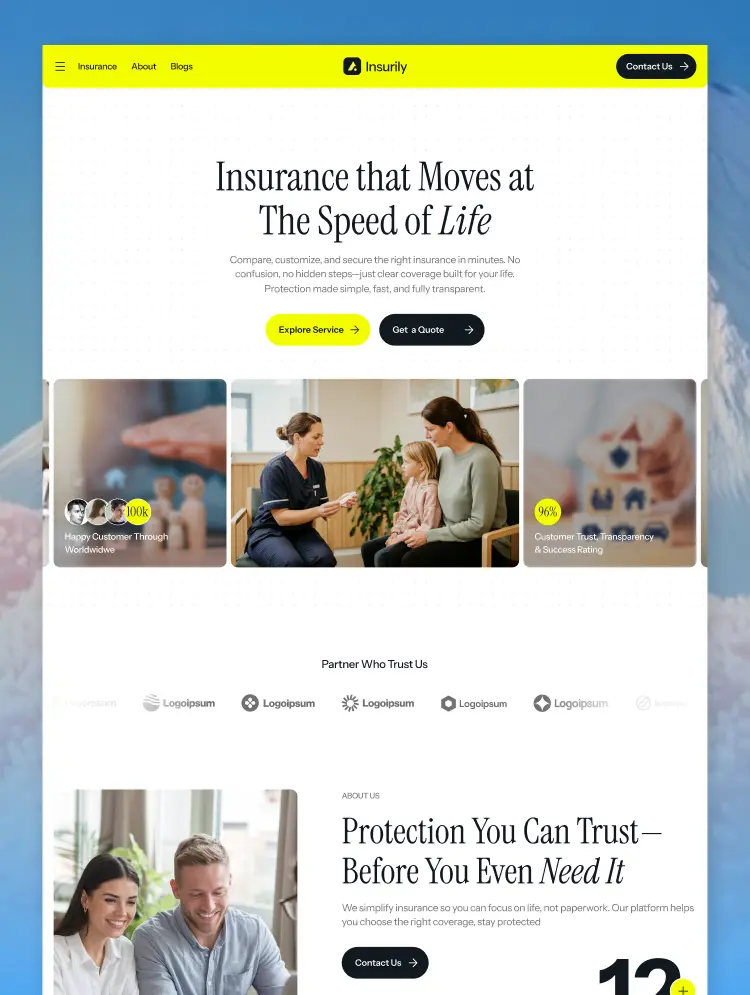
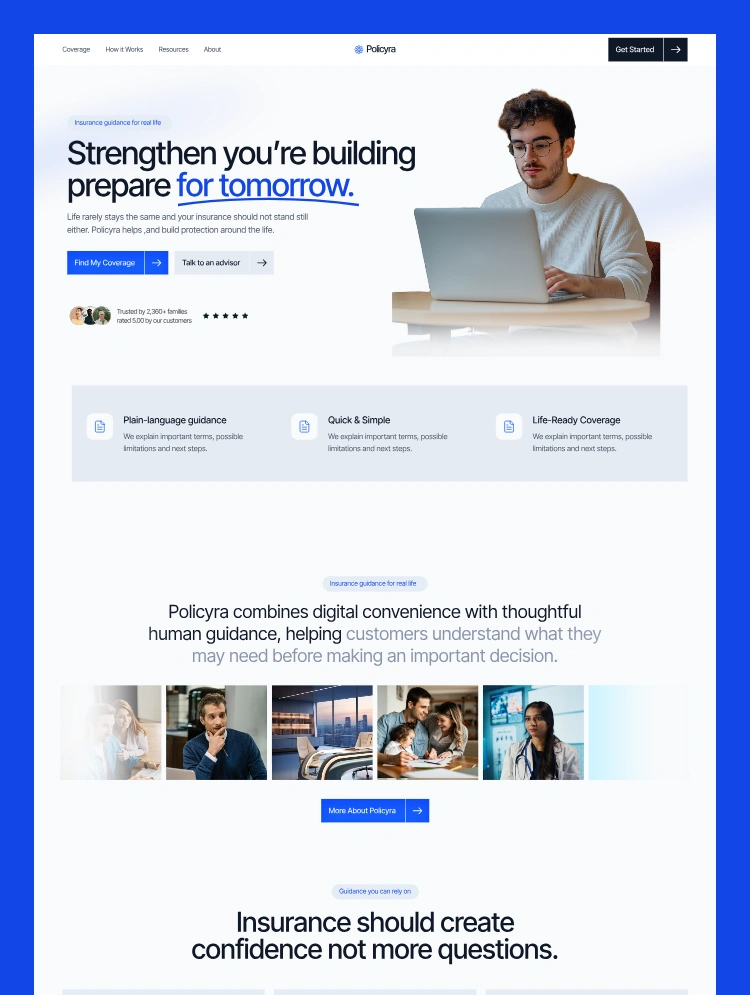
Policyra is a corporate and modern insurance Webflow template with two homepage layouts, CMS-powered services, service detail pages, blogs, advisor sections, quote forms, and fully responsive inner pages.
Policyra is a corporate and modern insurance Webflow template created for insurance companies, independent agencies, insurance brokers, financial advisors, risk consultants, and professional financial service businesses.
Featuring two professionally designed homepage layouts, CMS-powered insurance services, dynamic service detail pages, a complete CMS blog, quote request forms, and conversion-focused sections, Policyra gives you everything needed to build a credible and professional insurance website in Webflow.
The template helps insurance businesses clearly present coverage options, explain their process, introduce advisors, answer common customer questions, publish educational content, and turn website visitors into qualified insurance inquiries.
Policyra includes two unique homepage layouts, allowing you to choose the design and content structure that best represents your insurance business.
Both homepage designs use the same professional branding system while offering different section arrangements and presentation styles.
The homepage layouts include:
You can use one homepage as your main website or combine sections from both layouts to create a more customized insurance website.
Policyra includes two structured Webflow CMS collections for managing services and blog content without manually designing a new page every time.
Create and manage professional insurance service pages for:
Each service can automatically connect to a dynamic service detail page.
The service detail layout provides space for:
This CMS structure allows insurance agencies to add, update, organize, or remove insurance products without rebuilding individual pages.
Use the Blog CMS to publish educational and search-focused insurance content such as:
Each article automatically connects to a professionally designed blog detail page with space for featured images, categories, article content, author information, publication details, and related calls to action.
Publishing helpful insurance content can support customer education, improve brand credibility, and bring potential clients into your consultation process.
Policyra is designed to do more than present information. Its page structure guides visitors toward requesting coverage information or speaking with an insurance professional.
Conversion-focused sections include:
These sections help visitors understand your services, feel confident about your business, and take the next step without navigating through a confusing website.
Policyra provides a complete page structure for launching a professional insurance website.
The combination of core business pages, CMS templates, legal pages, and utility pages gives you a strong foundation for launching a complete insurance website.
Policyra can be customized for:
Policyra combines a professional corporate appearance with modern layouts, bold typography, organized content, and refined visual details.
Its design direction communicates:
The structured layouts make complex insurance information easier to understand while helping your business maintain a credible and premium online presence.
Every Policyra page is designed to adapt across desktop, tablet, and mobile devices.
Responsive navigation, flexible content grids, mobile-friendly forms, optimized spacing, and readable typography help provide a consistent browsing experience on different screen sizes.
Visitors can review insurance services, read articles, explore coverage options, and submit inquiries from their preferred device.
Policyra is built to make customization clear and manageable inside the Webflow Designer.
You can easily update:
The reusable components and organized Style Guide help maintain consistency while making website-wide design updates.
No advanced coding knowledge is required for standard content and visual customization.
Policyra provides a strong website foundation for targeting relevant insurance and financial service search terms.
Potential keywords include:
Page titles, meta descriptions, heading structures, CMS URLs, image alt text, Open Graph settings, service content, and blog metadata can be customized directly inside Webflow.
Policyra provides the design and content structure, while allowing you to adjust the final SEO settings for your business, location, insurance services, and target audience.
Policyra gives insurance professionals a complete website system instead of a basic landing page.
With two homepage layouts, CMS-powered services, a complete insurance blog, professional inner pages, quote request forms, and reusable components, you can launch a polished website without designing every section from the beginning.
Policyra helps you:
Whether you are creating a website for a new insurance agency or redesigning an established financial protection business, Policyra provides a flexible and professional starting point.
We also provide complete Webflow design and development services for businesses that need additional customization or a fully custom website.
Our services include:
Whether you need simple template customization, additional insurance pages, custom CMS functionality, or a complete Webflow website, we can support the project from initial design through final launch.
For Policyra template support, customization, Webflow development, or help setting up your insurance website:
Email: contact.lioweb@gmail.com
Can only be used by you or one client for one end product. You cannot resell or redistribute this template in its original or modified state.
This template is free to use in both person and commercial projects. You cannot resell, redistribute, or license this template in its original or modified state.
Questions about this template? Just reach out to the template designer and they will get back to you within 2 business days.
For advanced design guidance, please share your questions in the Webflow Forum or reach out to a Webflow Partner.
Share your feedback by leaving a comment below.
For template support, please check the Support tab.

Use the Preview in Designer option to make any edits to the template pages and preview how the layout would fit your content. Changes in preview mode won't be saved.
It isn't possible to apply a template to an already existing project. Instead, you'll need to create a new project based on the Template.
With a Core plan (or higher), you can export sites you build in Webflow, including templates, to host them anywhere you'd like.
Webflow templates are only available for purchase through Workspaces and legacy individual accounts.
CMS templates are designed to use the power of the Webflow CMS. It is possible to downgrade to a Basic Site Plan as long as all CMS content is deleted from the project.
Use the View Connections tool to understand where the CMS content is on the site and delete any dynamic listings and CMS content. We also recommend you to check Components and the Collection page Templates.
Ecommerce templates are designed to use the power of Webflow Ecommerce. It is not possible to remove Ecommerce from a template, however, deleting all Ecommerce Products and Categories from the project, will allow to select a lower Site Plan.
Membership templates are designed to use the power of Webflow Membership. It is not possible to remove Memberships from a template.
.svg)


Reposition and resize items anywhere within the grid to produce powerful, responsive layouts — faster and without code.
Build your lead lists and subscriber base with beautiful forms.
Comes with animations and interactions for additional polish and usability.