Trusted by teams at






Pestivo is a premium Webflow template for pest control businesses, featuring modern design, CMS-powered pages, strong trust elements, SEO optimization, and conversion-focused layouts to help attract more local customers
Most pest control websites look like they were built in 2009. Yours doesn't have to. Pestivo changes that.
If you're running a pest control business, your website is your first impression — and right now, most of your competitors are making a terrible one. Outdated layouts. No clear CTAs. Zero trust signals. It's costing them bookings every single day.Built specifically for pest control companies, extermination services, and property protection businesses, Pestivo is a modern, conversion-focused Webflow template that turns first-time visitors into booked clients. Professional design. Smart structure. Ready to launch.
When someone discovers pests in their home, they don't browse leisurely — they panic, search Google, and book the first company that looks trustworthy. Your website has seconds to communicate that you're the right choice.
Pestivo is engineered for exactly that moment. Every section is designed to build trust, eliminate doubt, and make it effortless for visitors to take the next step — whether that's requesting a free inspection, calling your team, or exploring your services.
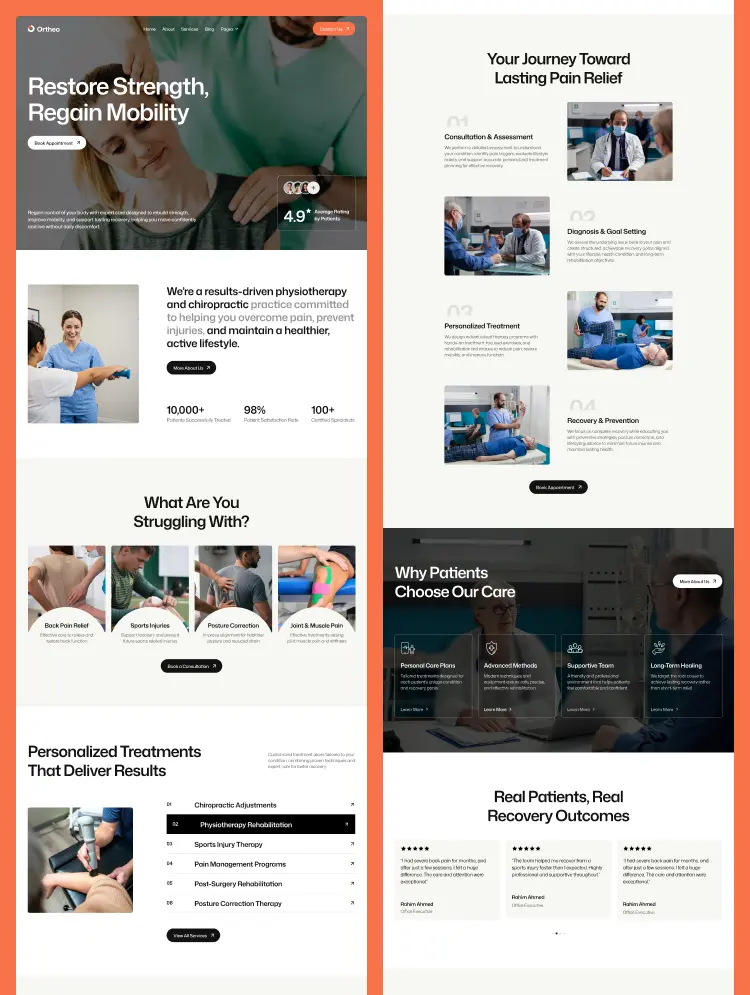
Pestivo includes a full, production-ready suite of pages:
• Home — a high-converting landing page with social proof front and center
• About Us — build credibility with your story, stats, and team
• Services — full listing of all pest control offerings
• Service Details — individual CMS-powered pages for each service type
• Blog — content marketing hub for SEO and client education
• Blog Details — full article layout for long-form posts
• Team Details — individual profile pages for your technicians
• Contact Us — simple, clean inquiry and booking form
• Style Guide, License, Changelog, 404 — all utility pages included
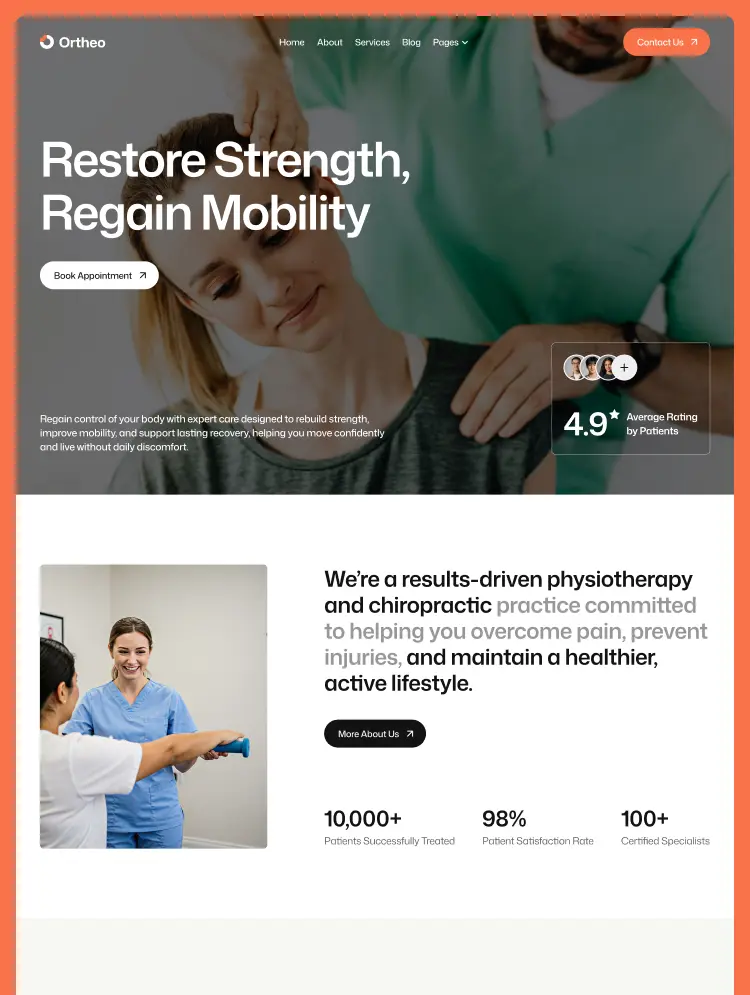
Above the fold, Pestivo leads with what matters most: trust. The hero combines a clear headline, an eco-friendly service promise, and a social proof element — avatar stack and a "Trusted by 10K People (4.9/5)" rating — right where visitors look first. The primary CTA, "Book Service Today," is impossible to miss.
The single most powerful conversion strategy for any local service business is reducing friction. Pestivo's persistent "Get Free Inspection" button in the navigation means a visitor is never more than one click away from reaching you — on any page.
Pest control can feel intimidating for homeowners who've never hired a professional before. The 3-step process section (Inspection → Treatment → Prevention) breaks it down into something clear and reassuring. It's a small detail that removes a huge psychological barrier to booking.
Pestivo includes individual Team Detail pages for each technician — with names, roles, and photos. In a service industry where strangers are entering your home, knowing who's coming matters. These pages dramatically increase trust and set Pestivo apart from templated competitors.
A rotating testimonial slider with client photos, names, and verified reviews gives your visitors the reassurance they need at the exact moment they're deciding whether to reach out.
FAQ Section — Handle Objections Before They're Raised
Common client questions around pet-safe treatments, emergency availability, and service pricing are addressed directly on the homepage. Fewer unanswered questions means fewer reasons not to book.
Pestivo's CMS architecture is purpose-built to support a local SEO strategy that actually works:
• Individual service detail pages for each pest type — ideal for targeting high-intent keywords
• Blog section with categories — build topical authority around pest control topics
• Clean semantic HTML structure and optimized meta tags on every page
• Service + location page combinations become easy to build using the CMS template
• Local Pest Control Companies
• Extermination & Fumigation Services
• Residential Pest Management Businesses
• Commercial Property Pest Control Providers
• Eco-Friendly & Green Pest Control Services
• Franchise Pest Control Operators
• Solo Exterminators & Independent Technicians
Most pest control businesses are running on outdated, generic websites — or worse, no website at all. In a high-urgency, search-driven industry like pest control, that's a significant opportunity for businesses willing to invest in their online presence.
Can only be used by you or one client for one end product. You cannot resell or redistribute this template in its original or modified state.
This template is free to use in both person and commercial projects. You cannot resell, redistribute, or license this template in its original or modified state.
Questions about this template? Just reach out to the template designer and they will get back to you within 2 business days.
For advanced design guidance, please share your questions in the Webflow Forum or reach out to a Webflow Partner.
Share your feedback by leaving a comment below.
For template support, please check the Support tab.

Use the Preview in Designer option to make any edits to the template pages and preview how the layout would fit your content. Changes in preview mode won't be saved.
It isn't possible to apply a template to an already existing project. Instead, you'll need to create a new project based on the Template.
With a Core plan (or higher), you can export sites you build in Webflow, including templates, to host them anywhere you'd like.
Webflow templates are only available for purchase through Workspaces and legacy individual accounts.
CMS templates are designed to use the power of the Webflow CMS. It is possible to downgrade to a Basic Site Plan as long as all CMS content is deleted from the project.
Use the View Connections tool to understand where the CMS content is on the site and delete any dynamic listings and CMS content. We also recommend you to check Components and the Collection page Templates.
Ecommerce templates are designed to use the power of Webflow Ecommerce. It is not possible to remove Ecommerce from a template, however, deleting all Ecommerce Products and Categories from the project, will allow to select a lower Site Plan.
Membership templates are designed to use the power of Webflow Membership. It is not possible to remove Memberships from a template.
.svg)


Reposition and resize items anywhere within the grid to produce powerful, responsive layouts — faster and without code.
Reusable elements you can use across your site. Edit a component and all copies update instantly.
Customize the built-in database for your project or just add new content.
Custom design for the 404 page of your website
Build your lead lists and subscriber base with beautiful forms.
Comes with GSAP animations and interactions for additional polish and usability.
Comes with animations and interactions for additional polish and usability.
Displays perfectly on desktops, tablets, and phones.
Site navigation automatically collapses into a mobile-friendly menu on smaller devices.
All graphics are optimized for devices with high DPI screens.
Uses fonts from Google's Web Font collection.