No items found.

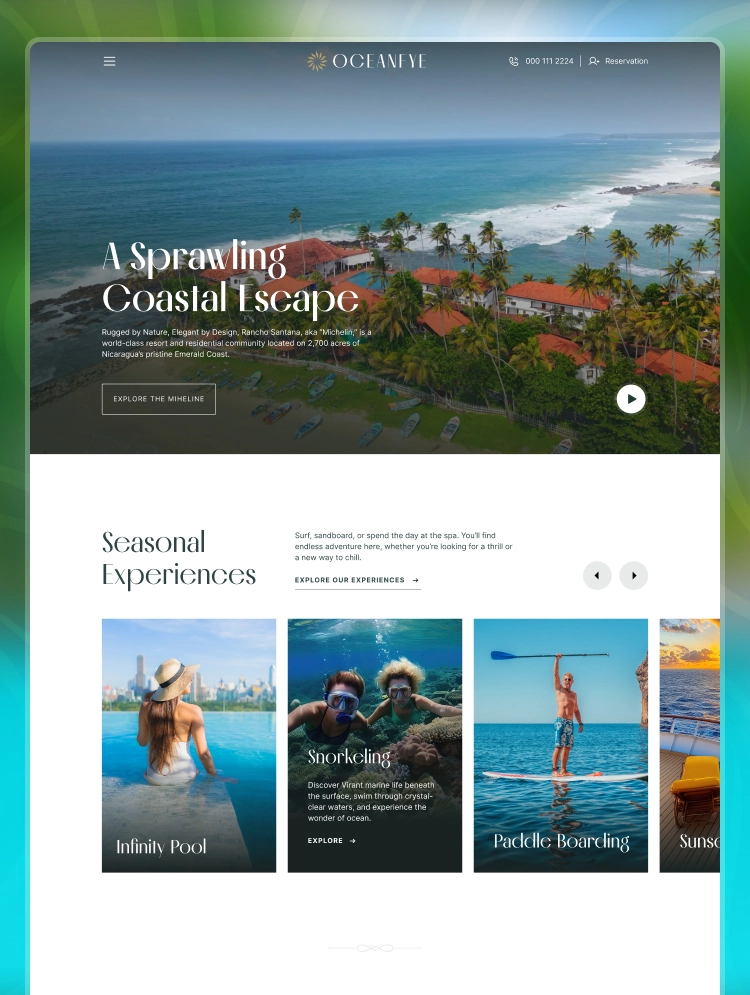
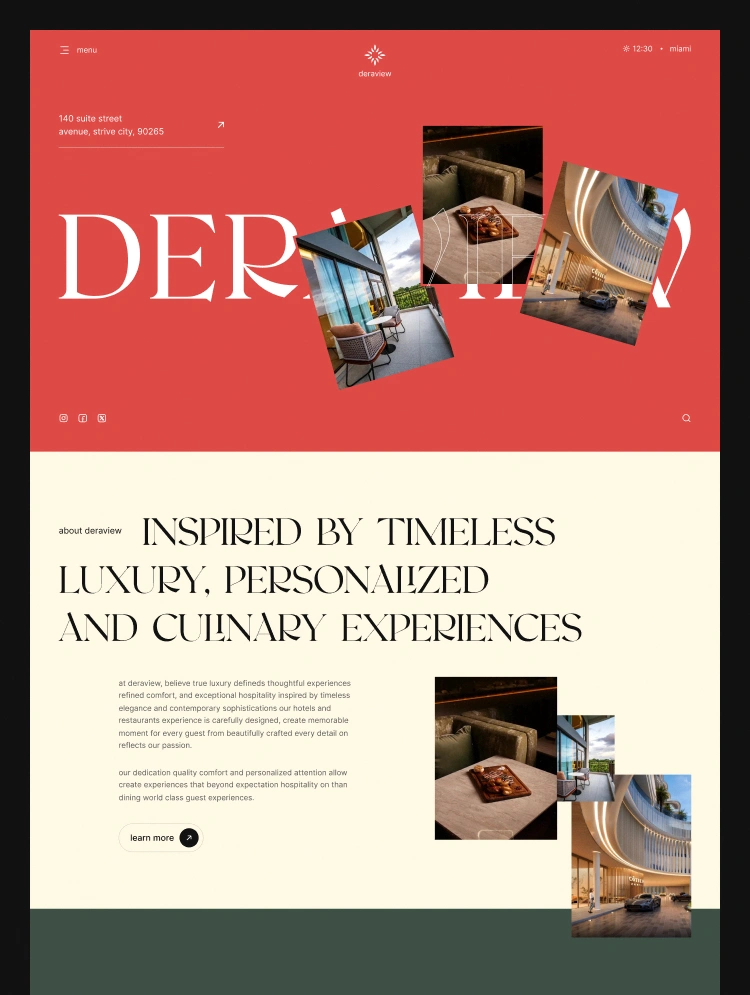
Deraview is a luxury hotel Webflow template by Flowfye for boutique hotels, resorts, vacation rentals, guesthouses and bed and breakfasts with a restaurant of their own. Independent inns, villa operators and hospitality groups can all put it to work.

Deraview is a Webflow template by Flowfye for boutique hotels and resorts that run their own restaurant. Every room, suite and dish gets its own CMS page, so guests can plan their stay and their table on one site. You can add a new room or a new dish without touching the design.


Perfect for:

  • Boutique hotels and resorts with an in-house restaurant
  • Beach, city and countryside stays that sell on photos and views
  • Guesthouses, lodges, B&Bs and vacation rentals with a few distinct units
  • Hotel restaurants that want their full menu online, dish by dish
  • Properties that already use a booking engine and need a site to put in front of it
  • Agencies and freelancers building hospitality websites for clients


Pages included:

  • Home: hero, about intro with video, room cards, dish slider, testimonials, offer banner, blog
  • About: intro video, team cards, open positions
  • Rooms: full room and suite listing
  • Restaurant: tabbed menu, dining hours, reservation CTA
  • Blog: article cards with author and date
  • Contact Us: address, socials, inquiry form
  • Room Details (CMS): booking bar, room specs, gallery, related rooms
  • Food Details (CMS): photo collage, ingredients, dining hours
  • Blog Details (CMS): author, date, related posts
  • Utility pages: Style Guide, Licenses, Changelog, Instructions, 404


Key features:

  • Rooms that sell themselves: Each room and suite has its own page with a photo gallery and the details guests look for before they book, including size, occupancy, bed setup, breakfast and room service. Benefits and amenities come next, then three related rooms that keep guests browsing.
  • A booking bar on every room page: Guests pick their check-in and check-out dates and set the number of guests. Check-out can't fall before the day after check-in, so you won't get impossible requests. Connect the bar to the booking engine or reservation form you already use.
  • A menu guests actually explore: The Restaurant page has All, Breakfast, Lunch, Dinner and Set Menu tabs. Every dish card shows its name, its main ingredients and a price range at a glance.
  • A page for every dish: Each dish gets a photo collage, a description, a full ingredients list, dining hours and a reservation button, so it can win the table as well as fill the menu.
  • Inquiries wherever guests decide: The contact form appears on Rooms, Restaurant and every room and dish page, so guests can ask a question the moment they're interested. A newsletter signup sits in the footer.
  • Easy to make your own: 16 pages, 7 Webflow components with variants, color and typography variables, and a Style Guide page let you rebrand the whole site in minutes.


Every purchase includes a free Figma source file. Email your purchase receipt to hello@flowfye.com and we'll send it over. Want this template customized, or a custom Webflow or Framer site built from scratch? Email at hello@flowfye.com or Visit flowfye.com/contact.

Show more
Single Use License

Can only be used by you or one client for one end product. You cannot resell or redistribute this template in its original or modified state.

Free License

This template is free to use in both person and commercial projects. You cannot resell, redistribute, or license this template in its original or modified state.

Flowfye supports this template
Designed by Flowfye

Questions about this template? Just reach out to the template designer and they will get back to you within 2 business days.

For advanced design guidance, please share your questions in the Webflow Forum or reach out to a Webflow Partner.

Loving this template?

Share your feedback by leaving a comment below.

For template support, please check the Support tab.

Is there a template demo available?

Use the Preview in Designer option to make any edits to the template pages and preview how the layout would fit your content. Changes in preview mode won't be saved.

Can templates be used in existing projects?

It isn't possible to apply a template to an already existing project. Instead, you'll need to create a new project based on the Template.

Can templates be exported?

With a Core plan (or higher), you can export sites you build in Webflow, including templates, to host them anywhere you'd like.

How to purchase a template from a legacy team account?

Webflow templates are only available for purchase through Workspaces and legacy individual accounts.

How to remove the CMS functionality from a template?

CMS templates are designed to use the power of the Webflow CMS. It is possible to downgrade to a Basic Site Plan as long as all CMS content is deleted from the project.

Use the View Connections tool to understand where the CMS content is on the site and delete any dynamic listings and CMS content. We also recommend you to check Components and the Collection page Templates.

How to remove the Ecommerce functionality from a template?

Ecommerce templates are designed to use the power of Webflow Ecommerce. It is not possible to remove Ecommerce from a template, however, deleting all Ecommerce Products and Categories from the project, will allow to select a lower Site Plan.

How to remove the Memberships functionality from a template?

Membership templates are designed to use the power of Webflow Membership. It is not possible to remove Memberships from a template.

Subcategory
Travel & Tourism
Travel & Tourism
Hotels & Lodging
Hotels & Lodging
Features
CMS
Forms

Build your lead lists and subscriber base with beautiful forms.

CMS
Interactions

Comes with animations and interactions for additional polish and usability.

Related Tags

Similar templates

Browse all

You might also like

Browse all
No items found.
Travel & Tourism
Hotels & Lodging