Trusted by teams at


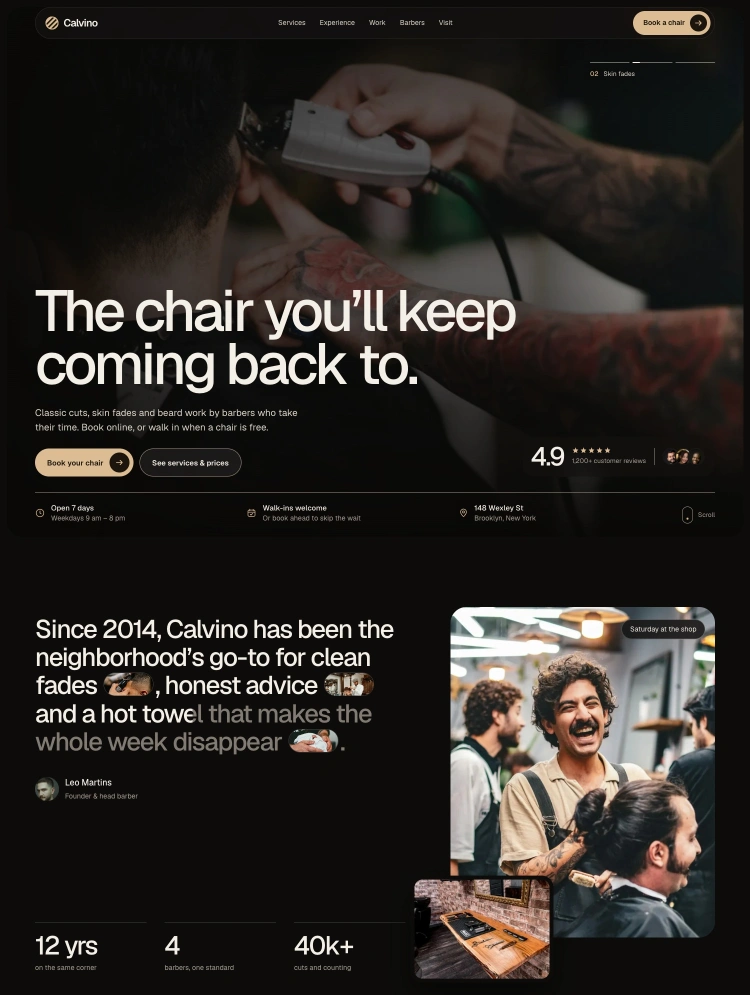
Calvino is a Webflow template for barbershops with photography, a service menu, team profiles, FAQs and an appointment request form.
Give your barbershop a site that feels like the shop itself. Calvino pairs warm sand accents and dark surfaces with large photographs, clear service information and a direct path to an appointment request. One commercial Home page brings together the details a visitor needs before choosing a service or barber.
Introduce six services with starting prices, show your work in an eight-photo gallery and present four barber profiles. An Experience section tells the story of the space, while a featured review and three review cards provide room for customer feedback. Visit details, five FAQs and a separate Instagram link complete the Home. Replace the demo photographs, names, reviews, prices and contact details with your own.
The appointment request form lets customers choose a service and barber manually, with an optional preferred day. The shop confirms the appointment separately. You can also point the booking link to your preferred destination.
Shared Webflow Variables keep the palette and type settings easy to update. The Style Guide and Instructions support customization, and Components includes an optional owner-barber profile and grouped price list. Licenses, Changelog, Privacy, Terms, a password page and a branded 404 complete the utility pages. Adapt the Privacy and Terms outlines to your business before launch.
Can only be used by you or one client for one end product. You cannot resell or redistribute this template in its original or modified state.
This template is free to use in both person and commercial projects. You cannot resell, redistribute, or license this template in its original or modified state.
Questions about this template? Just reach out to the template designer and they will get back to you within 2 business days.
For advanced design guidance, please share your questions in the Webflow Forum or reach out to a Webflow Partner.
Share your feedback by leaving a comment below.
For template support, please check the Support tab.

Use the Preview in Designer option to make any edits to the template pages and preview how the layout would fit your content. Changes in preview mode won't be saved.
It isn't possible to apply a template to an already existing project. Instead, you'll need to create a new project based on the Template.
With a Core plan (or higher), you can export sites you build in Webflow, including templates, to host them anywhere you'd like.
Webflow templates are only available for purchase through Workspaces and legacy individual accounts.
CMS templates are designed to use the power of the Webflow CMS. It is possible to downgrade to a Basic Site Plan as long as all CMS content is deleted from the project.
Use the View Connections tool to understand where the CMS content is on the site and delete any dynamic listings and CMS content. We also recommend you to check Components and the Collection page Templates.
Ecommerce templates are designed to use the power of Webflow Ecommerce. It is not possible to remove Ecommerce from a template, however, deleting all Ecommerce Products and Categories from the project, will allow to select a lower Site Plan.
Membership templates are designed to use the power of Webflow Membership. It is not possible to remove Memberships from a template.


Reposition and resize items anywhere within the grid to produce powerful, responsive layouts — faster and without code.
Build your lead lists and subscriber base with beautiful forms.
Comes with animations and interactions for additional polish and usability.