Trusted by teams at






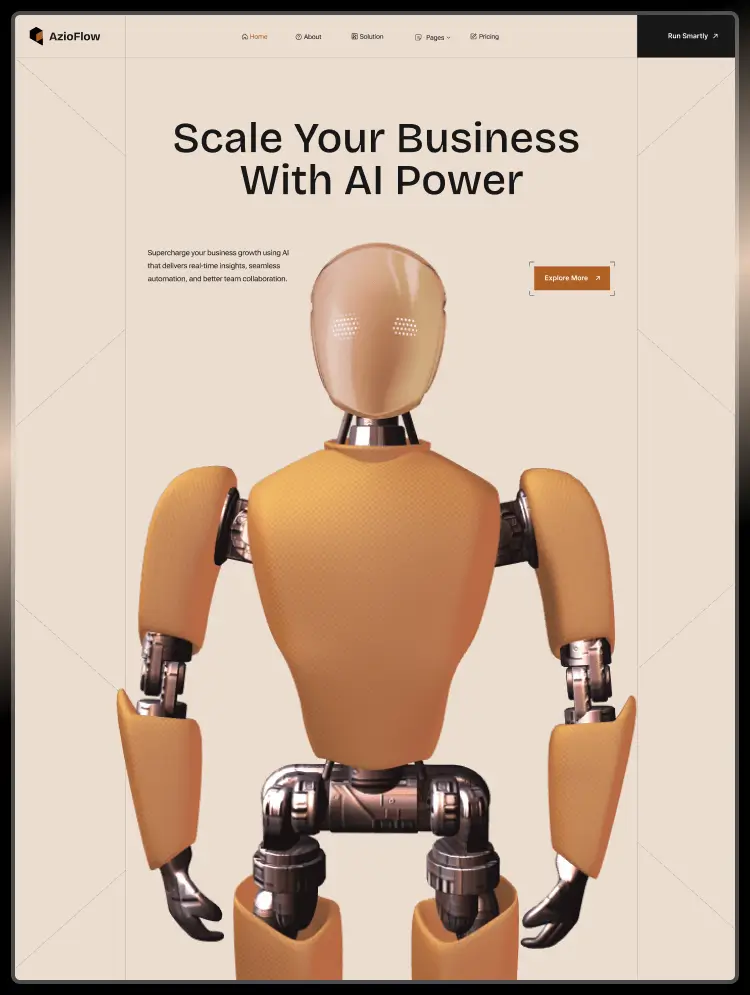
AzioFlow template suits AI, business, CRM, automation, workflow, SaaS, software, startups, dashboards, SEO, tech solutions, machine learning, digital marketing, project management, agencies, product development & services, and technology websites.
AzioFlow Webflow template suits AI, business, CRM, automation, workflow, SaaS, software, startups, dashboards, business, SEO, tech solutions, machine learning, chatbot, AI engine, research tools, digital marketing, project management, agencies, product development & services, corporate, data science, technology, adaptive logic, and data security websites.
Defines how the AI-powered CRM supports different business functions such as sales, marketing, customer support, and leadership teams. Highlights practical use cases like lead management, pipeline optimization, customer engagement, and performance tracking.
Highlights the tools and platforms that seamlessly connect with the AI-powered CRM, including marketing, sales, support, and analytics systems. Explains how integrations streamline data flow and automate workflows across the tech stack.
Provides transparent subscription options with details on features, user limits, and automation capabilities. Helps businesses compare plans and select the best fit for team size and needs.
Presents real-world examples of businesses using the AI CRM to enhance sales, marketing, or customer support. Breaks down the challenges, AI-driven solutions, and measurable results achieved.
Shares insights on AI in CRM, sales automation, customer experience, and business growth strategies. Educates readers while establishing the platform as an industry thought leader.
The AzioFlow template is fully responsive and designed to provide a seamless browsing experience across desktop, tablet, and mobile devices.
Browser Compatibility:
The AzioFlow template will ensure that every visitor receives the same experience across all browsers. We strive to support browser compatibility with cross-OS platforms and devices.
All images in the AzioFlow Webflow Template are licensed for free personal and commercial use. You can check the licenses page if you'd like to use any specific image.
The AzioFlow template is created with global swatches, allowing you to easily change the entire color scheme with just a few clicks. Learn more about Global Swatches.
Can only be used by you or one client for one end product. You cannot resell or redistribute this template in its original or modified state.
This template is free to use in both person and commercial projects. You cannot resell, redistribute, or license this template in its original or modified state.
Questions about this template? Just reach out to the template designer and they will get back to you within 2 business days.
For advanced design guidance, please share your questions in the Webflow Forum or reach out to a Webflow Partner.
Share your feedback by leaving a comment below.
For template support, please check the Support tab.

Use the Preview in Designer option to make any edits to the template pages and preview how the layout would fit your content. Changes in preview mode won't be saved.
It isn't possible to apply a template to an already existing project. Instead, you'll need to create a new project based on the Template.
With a Core plan (or higher), you can export sites you build in Webflow, including templates, to host them anywhere you'd like.
Webflow templates are only available for purchase through Workspaces and legacy individual accounts.
CMS templates are designed to use the power of the Webflow CMS. It is possible to downgrade to a Basic Site Plan as long as all CMS content is deleted from the project.
Use the View Connections tool to understand where the CMS content is on the site and delete any dynamic listings and CMS content. We also recommend you to check Components and the Collection page Templates.
Ecommerce templates are designed to use the power of Webflow Ecommerce. It is not possible to remove Ecommerce from a template, however, deleting all Ecommerce Products and Categories from the project, will allow to select a lower Site Plan.
Membership templates are designed to use the power of Webflow Membership. It is not possible to remove Memberships from a template.
.svg)


Reposition and resize items anywhere within the grid to produce powerful, responsive layouts — faster and without code.
Build your lead lists and subscriber base with beautiful forms.
Comes with animations and interactions for additional polish and usability.