Trusted by teams at






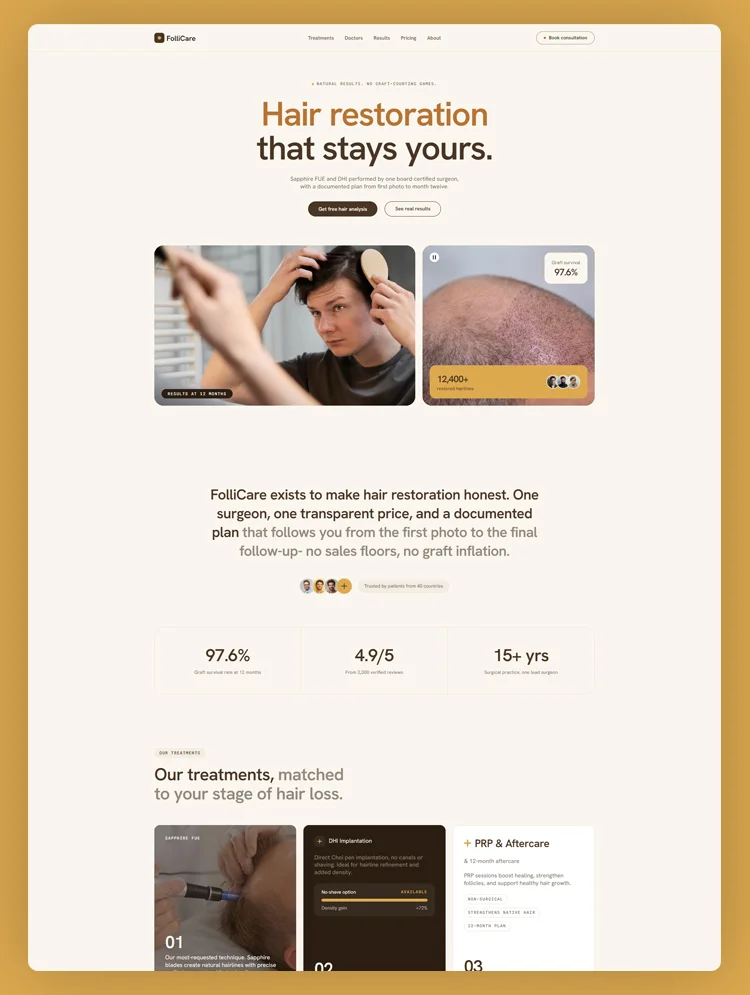
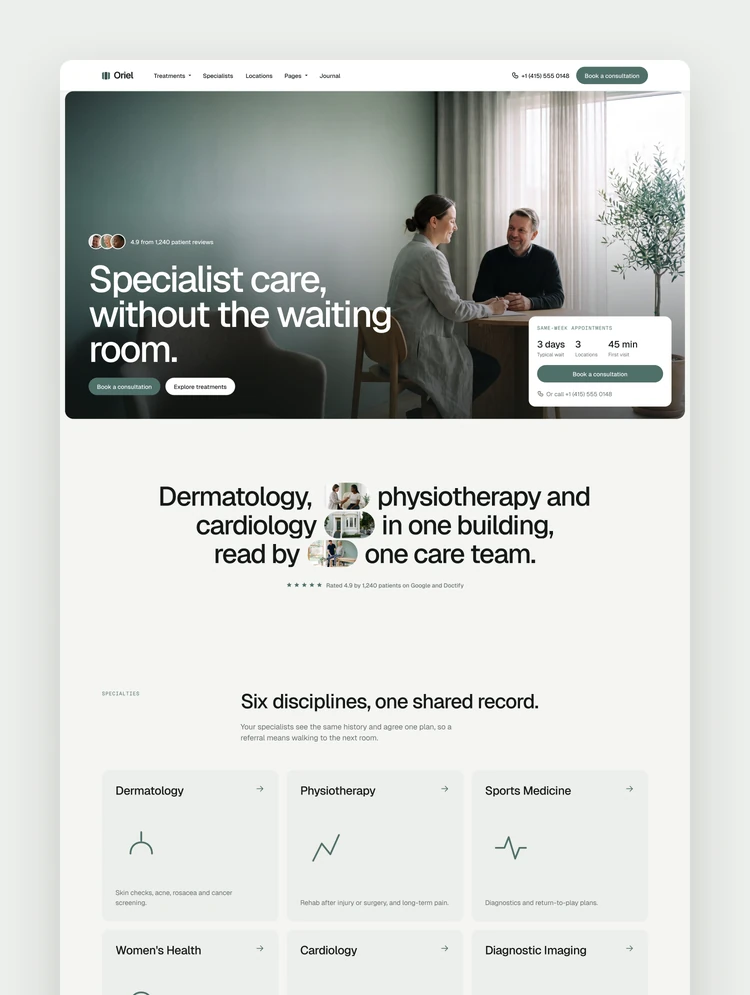
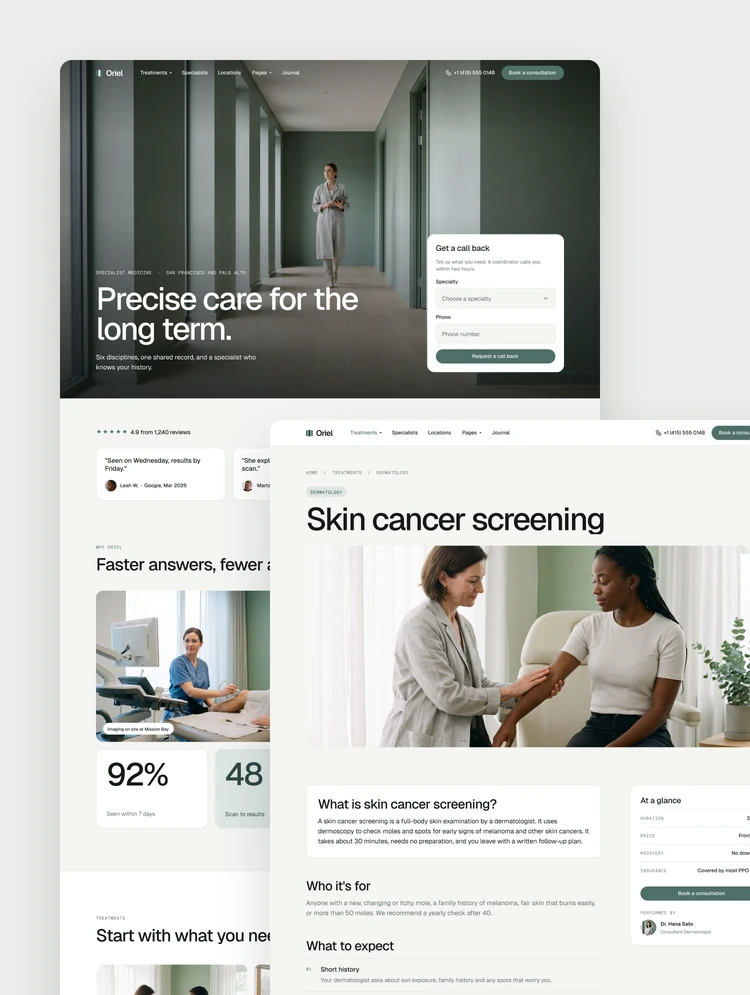
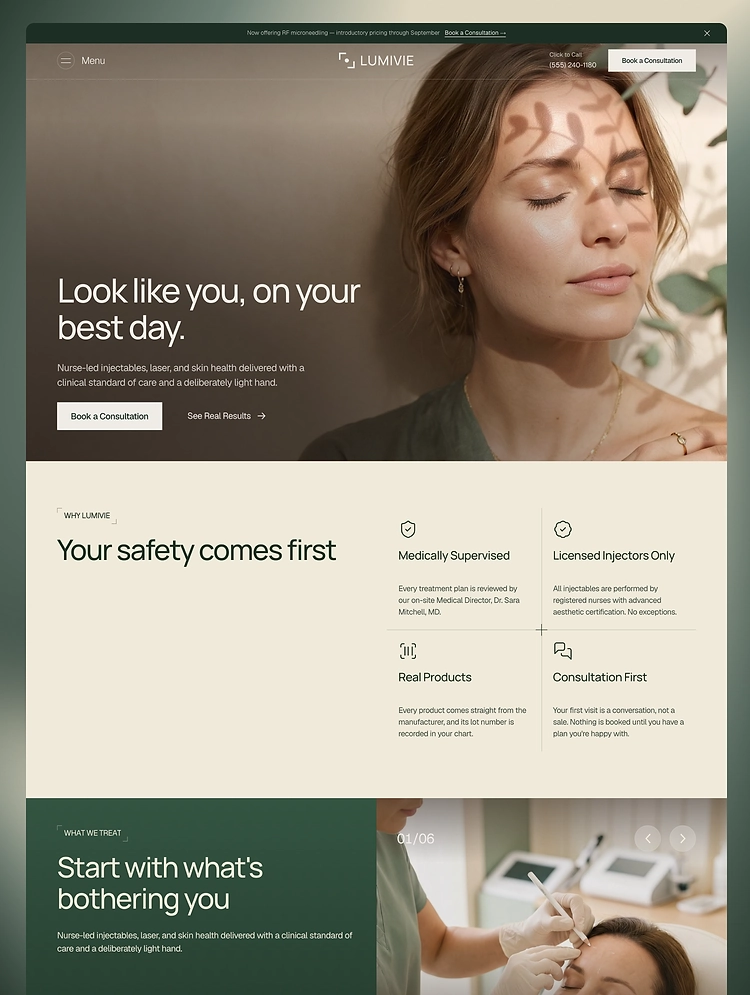
Spavelle is a premium med spa and aesthetic clinic Webflow template for skincare clinics, beauty studios, and wellness brands with CMS blog, treatment pages, responsive layouts, and appointment-focused sections.
Spavelle is a premium med spa and aesthetic clinic Webflow template designed for skincare clinics, medical spas, cosmetic treatment providers, beauty studios, wellness centres, dermatology practices, and modern aesthetic professionals.
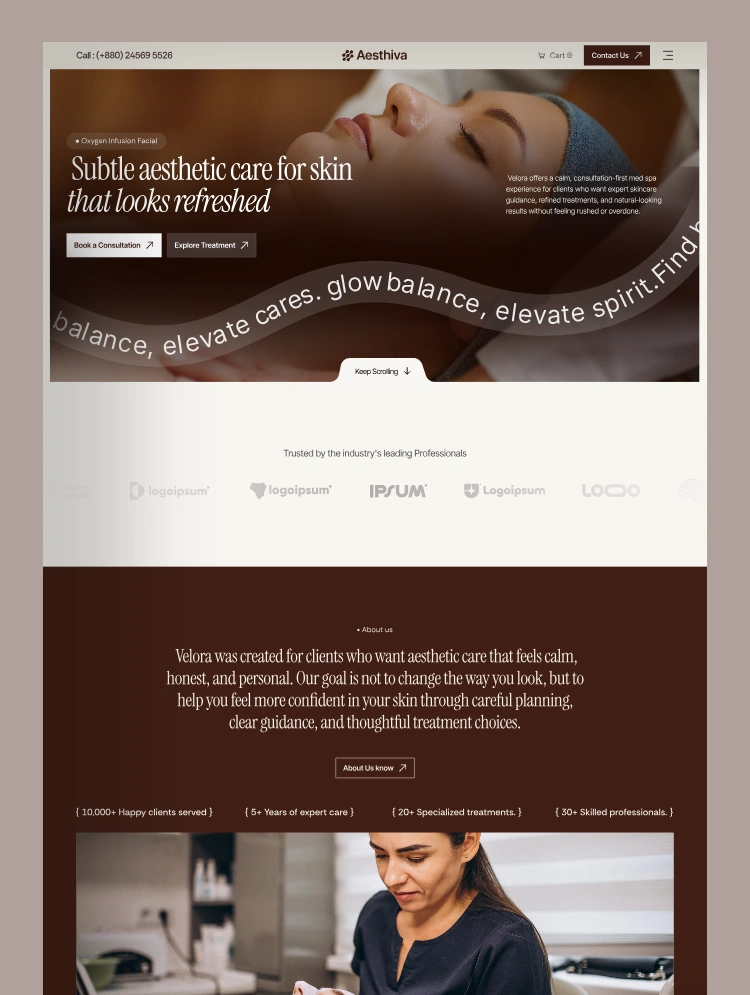
Featuring an elegant one-page layout, calming visual style, refined typography, responsive sections, appointment-focused calls to action, and two powerful CMS collections, Aesthiva helps beauty and wellness businesses create a professional online presence and turn website visitors into consultation inquiries.
Spavelle is created for aesthetic and wellness brands that want a clean, modern, and premium website without building everything from scratch.
The landing page is thoughtfully structured to introduce the business, explain available services, showcase popular treatments, present the working process, highlight specialists, display client testimonials, and encourage visitors to book a consultation.
The template includes two CMS collections for managing treatments and blog content, making it easy to keep the website organized and regularly updated.
Spavelle is ideal for service-based businesses that want to build credibility, present treatment information clearly, and generate more appointment inquiries.
Premium med spa and aesthetic clinic design
Professional one-page landing page
Fully responsive desktop, tablet, and mobile layouts
Two Webflow CMS collections
CMS-powered treatment pages
CMS-powered blog pages
Modern service showcase
Featured treatment sections
Individual treatment detail pages
Before-and-after transformation sections
Treatment process sections
Specialist and team showcase
Pricing package sections
Client testimonial sections
Consultation and appointment forms
Strong call-to-action sections
Blog and educational content sections
Reusable Webflow components
Complete style guide
Custom 404 page
Changelog and license pages
Easy-to-edit colours, fonts, images, and content
Clean and organized Webflow structure
No complicated setup required
Aesthiva features a professionally structured landing page that brings all essential business information together in one smooth browsing experience.
The layout is designed to guide visitors from discovering the brand to learning about treatments and finally requesting a consultation.
Header and navigation
Hero section
Consultation call-to-action
Trusted professional or partner logos
About the clinic section
Business statistics and achievements
Why choose us section
Aesthetic service categories
Featured treatments
Step-by-step treatment process
Before-and-after results
Specialist and medical team showcase
Treatment pricing plans
Client testimonials
Latest blog articles
Appointment inquiry form
Professional footer
Every section can be customized to suit your clinic, med spa, beauty studio, or wellness brand.
Spavelle includes two Webflow CMS collections that make it easy to manage treatment information and blog content without manually creating individual pages.
The Treatment CMS allows you to create, organize, and update individual treatment pages directly inside Webflow.
Each treatment can include:
Treatment name
Short treatment description
Featured image
Treatment overview
Suitable client information
Treatment benefits
Procedure details
What to expect
Treatment steps
Before-and-after visuals
Related treatments
Consultation call-to-action
This CMS is suitable for displaying services such as:
Botox and wrinkle relaxers
Dermal fillers
Facial treatments
Skin rejuvenation
Laser treatments
Body contouring
Chemical peels
Hydration facials
Microneedling
Wellness treatments
Personalized treatment plans
Minimally invasive procedures
New treatment pages can be added by creating a new CMS item, allowing the website to grow alongside the business.
The Blog CMS allows clinics and aesthetic professionals to publish educational articles, treatment guides, skincare advice, company updates, and wellness content.
Each blog post can include:
Article title
Short introduction
Featured image
Blog category
Publication date
Author information
Reviewer information
Rich-text article content
Supporting images
Related articles
Consultation call-to-action
The blog can be used to publish content about:
Skincare tips
Med spa treatment guides
Facial treatment advice
Botox and filler education
Before-and-after care
Treatment preparation
Recovery guidance
Aesthetic industry insights
Wellness recommendations
Clinic news and updates
Publishing helpful content can support search engine visibility, strengthen professional credibility, and help potential clients understand different treatment options.
Spavelle includes flexible service sections that can be customized according to the treatments and solutions offered by your business.
You can easily update service names, numbers, descriptions, images, links, and categories inside Webflow.
Injectables and facial balancing
Skin rejuvenation treatments
Laser and advanced skincare
Facial and beauty treatments
Body and wellness aesthetics
Anti-ageing treatments
Cosmetic consultation
Personalized skincare planning
Non-surgical aesthetic treatments
Medical-grade skincare services
The service sections can also be adapted for beauty salons, cosmetic clinics, dermatology practices, wellness centres, and luxury spa businesses.
Spavelle provides an elegant treatment showcase that helps visitors quickly understand the services available.
Featured treatments can display:
Treatment number
Treatment name
Short description
Treatment image
View-treatment button
Link to the CMS-powered detail page
This structure makes it easy to promote popular treatments and guide visitors towards more detailed information.
The before-and-after sections allow aesthetic businesses to showcase treatment transformations and visual results.
These sections can be used to present:
Skin improvements
Facial treatment results
Body treatment outcomes
Cosmetic procedure results
Client transformations
Treatment progress
Before publishing client images, businesses should make sure that they have the necessary permissions and follow applicable privacy and advertising requirements.
Spavelle includes a clear, step-by-step process section that helps potential clients understand what happens before, during, and after a treatment.
Initial consultation
Skin or facial assessment
Personalized treatment planning
Treatment appointment
Aftercare guidance
Follow-up consultation
Explaining the process can reduce uncertainty, answer common concerns, and help visitors feel more confident about contacting the clinic.
The team section allows businesses to introduce their medical directors, aesthetic providers, skincare specialists, consultants, and other professionals.
Each team profile can include:
Team member photograph
Full name
Professional position
Specialization
Social media links
Presenting the people behind the business helps create a more personal and trustworthy website experience.
Spavelle includes customizable pricing cards for displaying consultation fees, treatment packages, facial plans, membership options, or starting prices.
Pricing cards can include:
Package name
Starting price
Short description
Included services
Key benefits
Booking button
Businesses can edit or remove pricing sections depending on their services, location, and pricing policy.
Aesthiva includes multiple sections designed to convert visitors into consultation inquiries and appointment requests.
Hero booking button
Consultation call-to-action
Featured treatment links
Service highlights
Treatment benefits
Step-by-step process
Before-and-after results
Professional team profiles
Pricing options
Client testimonials
Frequently requested information
Appointment inquiry form
Footer contact details
These sections work together to explain the clinic’s value, establish credibility, and guide visitors towards taking action.
The appointment form provides a simple way for visitors to express interest in a treatment or consultation.
The form can collect information such as:
First name
Last name
Treatment interest
Email address
Contact information
Additional inquiry details
Form fields, labels, success messages, and notification settings can be customized directly inside Webflow.
The footer features a clean and organized structure that helps visitors access important information and website resources.
Business logo
Short clinic description
Landing page navigation
Treatment links
Blog links
Contact details
Phone number
Email address
Social media links
Style guide link
License information
Copyright text
Home Landing Page
Treatment CMS Template
Blog CMS Template
Style Guide
Changelog
License
404 Page
Aesthiva is an excellent choice for:
Medical spas
Aesthetic clinics
Skincare clinics
Cosmetic treatment providers
Beauty and wellness studios
Dermatology practices
Facial treatment centres
Botox and filler clinics
Laser treatment businesses
Anti-ageing clinics
Cosmetic dermatologists
Wellness centres
Luxury beauty salons
Independent aesthetic professionals
Premium healthcare and beauty brands
Aesthiva is built to be simple, flexible, and easy to manage inside Webflow.
You can customize:
Brand colours
Typography
Logo
Images
Landing page content
Service categories
Treatment CMS items
Blog CMS items
Team profiles
Pricing packages
Testimonials
Buttons and links
Navigation menu
Appointment forms
Contact information
Social media links
Footer content
Reusable components
The clean Webflow structure makes the template suitable for both beginners and experienced Webflow designers.
Aesthiva provides a strong foundation for building an SEO-friendly med spa or aesthetic clinic website.
You can customize:
Page titles
Meta descriptions
Heading structure
Image alt text
CMS page URLs
Treatment page metadata
Blog post metadata
Open Graph information
Internal links
Search-friendly content
The CMS-powered treatment and blog collections make it easier to create targeted pages and publish educational content around relevant skincare, beauty, wellness, and aesthetic treatment topics.
Professional Webflow customization services are also available for businesses that need assistance adapting Aesthiva to their brand.
We can help you:
Replace the demo content
Add your clinic information
Update the logo and branding
Customize colours and typography
Replace images
Add or remove landing page sections
Configure Treatment CMS items
Configure Blog CMS items
Upload treatment information
Publish blog articles
Update pricing packages
Add team member profiles
Customize appointment forms
Connect buttons and internal links
Improve responsive layouts
Add contact information
Prepare the website for launch
For template support or Webflow customization requests, please contact:
Email: contact.lioweb@gmail.com
Can only be used by you or one client for one end product. You cannot resell or redistribute this template in its original or modified state.
This template is free to use in both person and commercial projects. You cannot resell, redistribute, or license this template in its original or modified state.
Questions about this template? Just reach out to the template designer and they will get back to you within 2 business days.
For advanced design guidance, please share your questions in the Webflow Forum or reach out to a Webflow Partner.
Share your feedback by leaving a comment below.
For template support, please check the Support tab.

Use the Preview in Designer option to make any edits to the template pages and preview how the layout would fit your content. Changes in preview mode won't be saved.
It isn't possible to apply a template to an already existing project. Instead, you'll need to create a new project based on the Template.
With a Core plan (or higher), you can export sites you build in Webflow, including templates, to host them anywhere you'd like.
Webflow templates are only available for purchase through Workspaces and legacy individual accounts.
CMS templates are designed to use the power of the Webflow CMS. It is possible to downgrade to a Basic Site Plan as long as all CMS content is deleted from the project.
Use the View Connections tool to understand where the CMS content is on the site and delete any dynamic listings and CMS content. We also recommend you to check Components and the Collection page Templates.
Ecommerce templates are designed to use the power of Webflow Ecommerce. It is not possible to remove Ecommerce from a template, however, deleting all Ecommerce Products and Categories from the project, will allow to select a lower Site Plan.
Membership templates are designed to use the power of Webflow Membership. It is not possible to remove Memberships from a template.
.svg)


Display 3D graphics elegantly on every device.
Bring life and motion to your design with background videos
Reposition and resize items anywhere within the grid to produce powerful, responsive layouts — faster and without code.
Reusable elements you can use across your site. Edit a component and all copies update instantly.
Customize the built-in database for your project or just add new content.
Custom design for the 404 page of your website
Build your lead lists and subscriber base with beautiful forms.
Comes with GSAP animations and interactions for additional polish and usability.
Comes with animations and interactions for additional polish and usability.
Displays perfectly on desktops, tablets, and phones.
Site navigation automatically collapses into a mobile-friendly menu on smaller devices.
All graphics are optimized for devices with high DPI screens.
Uses fonts from Google's Web Font collection.